How Do I Create An Organization
Before you create a new organization, please know that when you sign up on CaterCow, your account becomes its own organization by default, even if you sign up with your name and not a business name. ie. Jane Smith's Organization
- If you only need yourself as your organization, you can leave everything as is!
- If you want to change the organization's name:
Okay so now that is out of the way, what if you truly need multiple organizations? Easy peasy!
- Once you are logged into your CaterCow account, hover over your name in the top right corner of the page and click the "Manage Organization" button.
- If you already have more than 1 organization, continue to step 3. If not, follow the below:
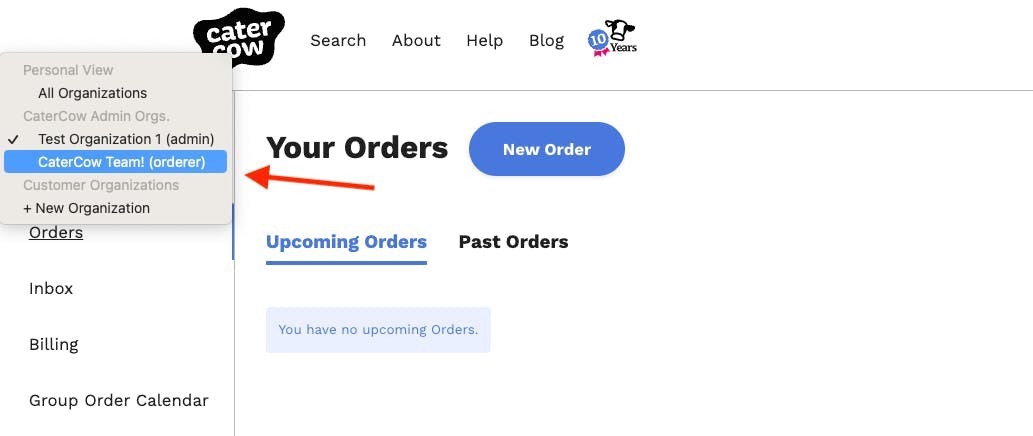
- On the next screen, you'll see a drop-down menu in the top left corner of the page
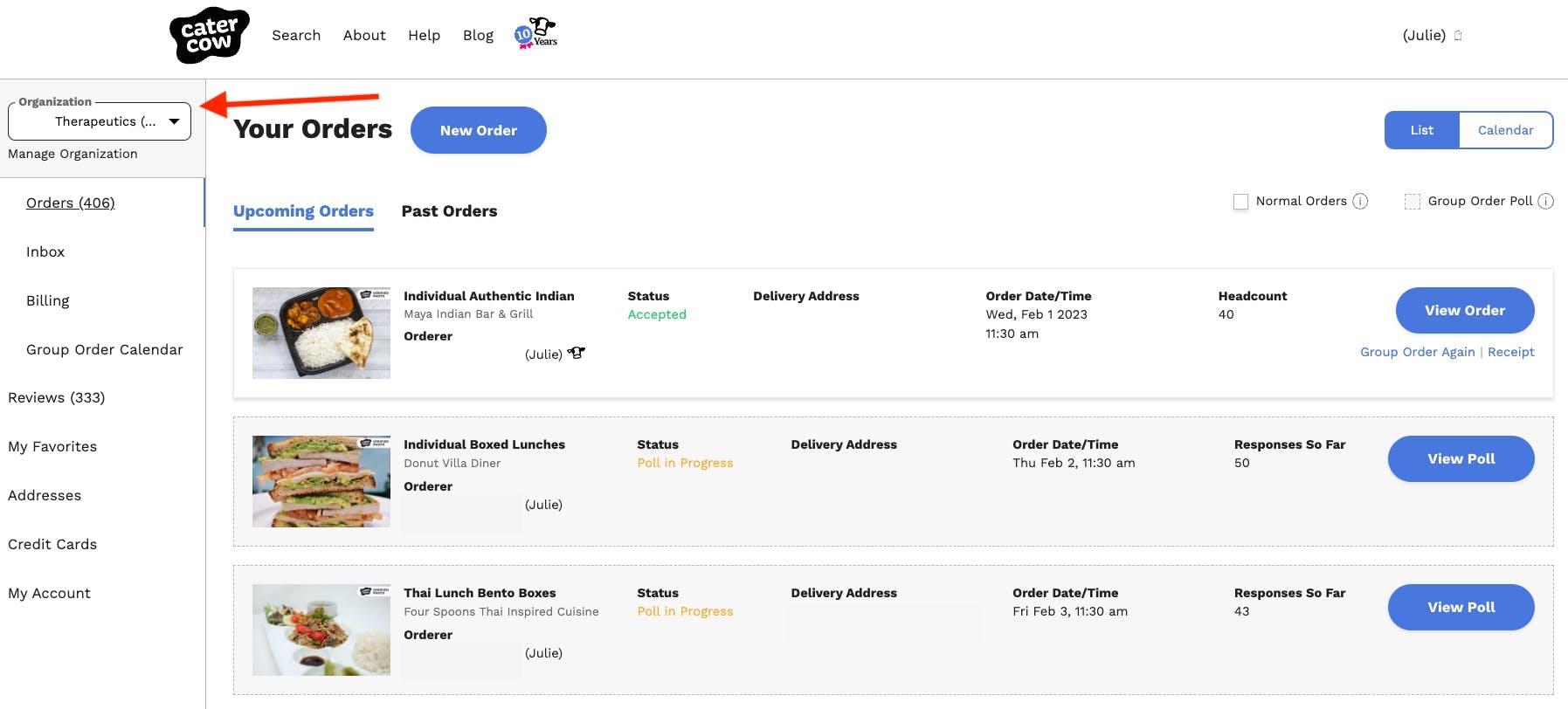
Click the drop-down and choose "+ New Organization" 5. Follow the 2 prompts to create your new organization * Prompt 1: What are Organizations? * Prompt 2: Create and Name your new Organization 6. Once you've created a new organization, you'll now be able to toggle between all of your organizations via that same drop-down!
Click the drop-down and choose "+ New Organization"
Follow the 2 prompts to create your new organization
- Prompt 1: What are Organizations?
- Prompt 2: Create and Name your new Organization
Once you've created a new organization, you'll now be able to toggle between all of your organizations via that same drop-down!