Get More Catering Orders
CaterCow's Platform Helps You Find Leads, Land Clients, and Grow Orders

CaterCow Serves
Get Started With CaterCow Today
Simple Setup
Sign up in a few minutes with no sign-up fee or contract. The marketplace has no monthly fee — we only make money when you get orders.
Hassle Free Onboarding
We take care of marketing your catering business and processing payments/invoicing - you focus on the food.
Easy to Fulfill Orders
Paste a link to your menu and we’ll build it for you, or import it from Square. Every accepted order arrives with a PDF checklist for your kitchen and delivery staff.
On Your Terms
You have full control of your hours, days off, lead time, delivery areas, and order minimums — and whether you deliver at all.
What Our Partners Say
How To Become A CaterCow Partner
Step 1.
Sign Up for Stable
Signing up takes a few minutes and gets you a dashboard right away — no application review and no waiting on our team.
Join CaterCowStep 2.
Set Up Your Kitchen
- Add your catering menu
- Set your business hours and delivery area
- Let us know where to pay you
Step 3.
Apply to the Marketplace
Applying is free, straight from your dashboard. We review your menu, hours, and delivery area, then promote your kitchen to customers who search for catering near you. All you need to do is fulfill the orders.
Take Catering Orders on Your Own Site
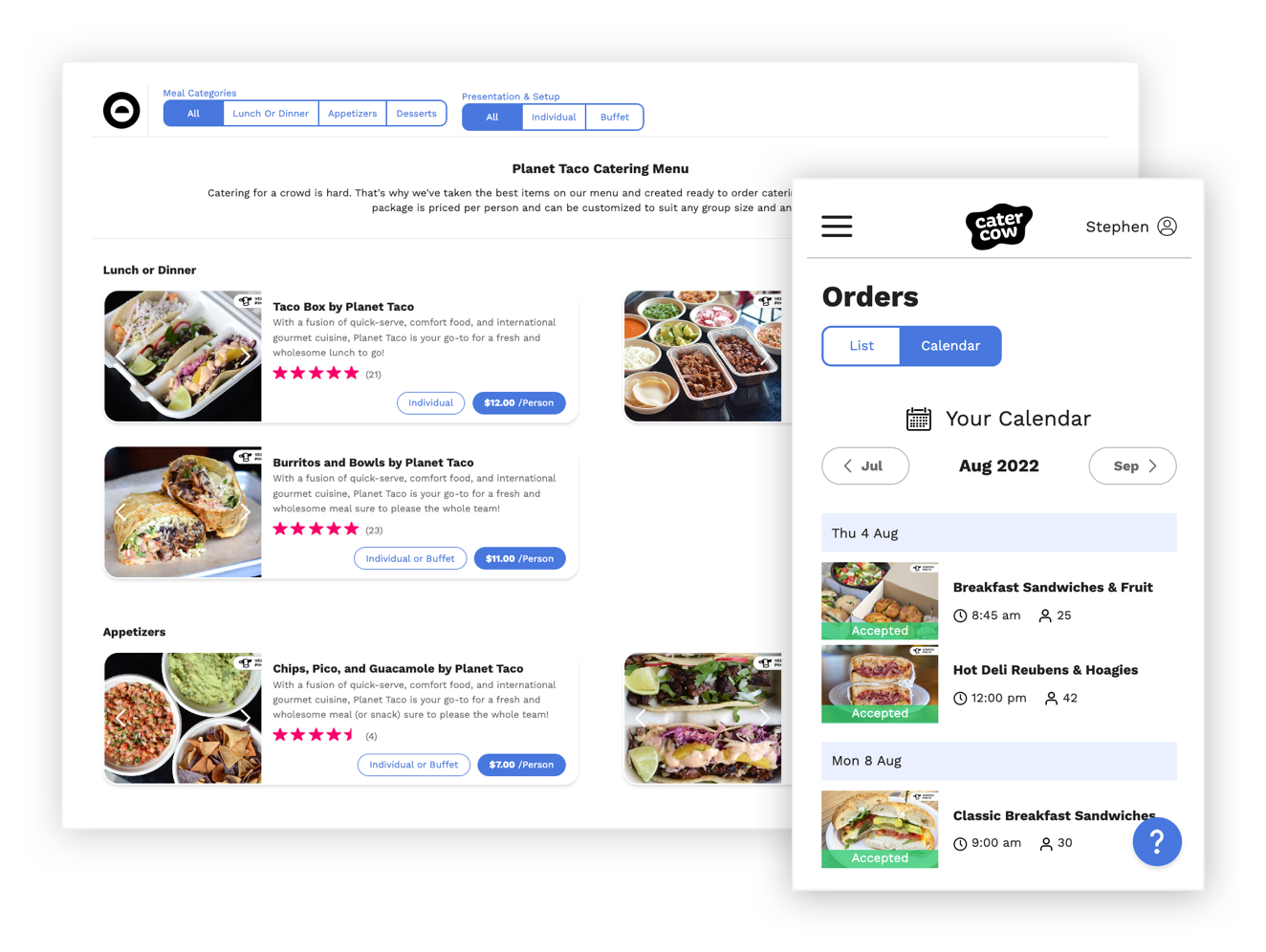
Stable isn’t just for the marketplace. Turn on in-house ordering and your own customers can order from a page with your branding that you put on your website — a la carte or as a group order. You get every customer’s contact details, and you manage these orders on the same orders calendar as the rest. Stable takes no commission on them; in-house ordering is a monthly subscription for each kitchen. Turn it on from your dashboard whenever you like, with or without the marketplace. Questions? Email support@catercow.com.
Common Caterer Questions
When do I get paid?
The vast majority of our customers pre-pay by credit card directly through our site. The payment for each order (net of our fee) is paid out 5 days after delivery, and usually reaches your account within 1-2 business days depending on your bank.
For a small number of our larger corporate clients, orders are invoiced and payment hits your account in about 4 weeks. The timeline for these payments is longer because it takes longer for payment to transfer from the customer to us, and then to you. You'll see as soon as you receive an order whether the customer has paid by credit card, or if they've arranged with us to pay by invoice.
What if I don't deliver?
You don’t have to deliver. On your kitchen’s Delivery step, turn on pickup and choose “We don’t deliver,” and customers collect their orders from your kitchen. Marketplace customers can still find you for pickup, though you won’t show up in delivery searches. If you do deliver, you’re free to set your own delivery areas and zones.
Want a hand with delivery? Check “Yes, help me set up delivery” on that step and we’ll reach out after you finish setup.
Can I control my order minimums and lead time?
Yes. Set the notice you need before each order, and your weekend cutoff, under “Order timing” on each kitchen’s Business hours step. Order minimums are set per delivery area, so each zone can have its own. You can change either from your dashboard any time, and if you sell on the marketplace, we’ll check them when we review your application.
Can I have different delivery fees for different delivery zones?
Yes, you can indicate if and how much it costs to deliver to each designated delivery zone, and opt out of any zones as needed. Each zone can have a flat or percentage fee, its own order minimum, and a free-delivery threshold. Set them up on your kitchen’s Delivery step, or manage every kitchen at once from “Delivery Areas, Minimums, & Fees” in your dashboard.
What makes CaterCow different from other catering platforms?
There are a few key points that set us apart from other similar websites:
Reviewed menus: Before a kitchen is listed, a CaterCow admin reads its menu, hours, and delivery area, and checks that the menu has enough dietary variety for a whole room to order from. Every kitchen goes through the same review, however well known the brand.
Caterers are in control: You are free to set your own delivery areas, delivery fees, required lead time, cancellation policy, and order minimums, and to choose whether you deliver or offer pickup only.
Customer AND caterer support: Our customer support and restaurant partnerships teams are available at all times to help set up and improve your menus, answer questions, and handle any issues that may come up.
Customers order autonomously: Unlike some websites where customers need a dedicated account manager to see available restaurants and place orders, CaterCow customers can browse the site and place orders on their own.
How do I get started?
Sign up for Stable, the software that powers the restaurant side of CaterCow, at https://www.catercow.com/get-more-catering-business. You’ll get a dashboard right away — no application review and no waiting on our team.
From your dashboard, set up your first kitchen: your business hours, delivery area and fees, and your catering menu.
Once your kitchen is set up, apply to the marketplace from its Marketplace settings step. Applying is free. A CaterCow admin reviews your menu, hours, and delivery area — usually within 2 business days — and emails you either way. If something needs changing, we’ll tell you exactly what. Once you’re approved, your kitchen starts showing up when customers near you search for catering.
What's a Package?
A package is a pre-fixed menu priced per person. Customers plug in their headcount, specify their choices, and know they’ll have enough variety for their whole group. You’ll see packages from some of our partners. New partners start with their full catering menu instead: paste a link to your menu and we’ll build it for you, build it yourself, or import it from Square.
How much business should I expect to receive through CaterCow?
CaterCow is an open marketplace, so the number of orders you get is highly dependent on a variety of factors, including reviews, response times, cuisine, price point, reliability etc. Some caterers receive multiple orders per day, while others receive less. Our top performing partners receive 1-5 catering orders per day through CaterCow.
That being said, our team is always available to answer your questions and provide feedback on maximizing orders and customer happiness!
Does it cost money to partner with CaterCow?
It’s free to sign up for Stable and free to apply to the marketplace, which has no monthly fee. On the marketplace, we only make money when you do! A percentage is deducted from each marketplace order payout, which covers our commission, customer service, referral, marketing, invoicing and credit card processing fees.
In-house ordering, where your own customers order from your branded page, is a monthly Stable subscription for each kitchen, and you’ll see the price on the Payment step before you pay. Stable takes no commission on in-house orders. Card processing is passed through to your customer at checkout, or billed by Square at your own rate if you take payments through Square.
How do taxes work?
Sales tax is a separate line item on each order. You'll see listed on each order that we send you. CaterCow does NOT report sales on our partners behalf's. You (the caterer) are responsible for paying sales tax per your business tax payment schedule. We solely collect the tax and pass it along to you within your order payout.
Who is CaterCow for?
CaterCow is for excellent local restaurants, food trucks, specialty food purveyors, and caterers who do large group deliveries and/or catering. Anyone with an email address can sign up for Stable and set up a kitchen. To be listed on the CaterCow marketplace, you’ll also need a verified business and bank account for payouts, and to offer delivery or pickup. Keep in mind that our marketplace review is selective — we’re looking for caterers that we feel can meet our customers’ needs and provide an excellent overall experience.
What happens when I receive an order?
As soon as a customer places an order, you'll get notifications via text and email. From there, you can view the order details and ''Accept'' or ''Decline." Once the order is accepted, you'll automatically receive a PDF with all the details for your kitchen and delivery staff, as well as a reminder the day before the order. Payment is then released to you via direct deposit.
How do I decline an order?
Once you receive an order, you'll get an email notification with a link to accept or decline. We ask that you keep your business hours and required lead times updated to avoid disappointing customers who want to try your food. Declined and canceled orders will negatively affect your search result rankings.
If you are ever totally booked or out of town, go to “Days Off” in your dashboard and close those dates on your kitchen’s calendar. To change your lead times, open the kitchen from “Kitchens” and update “Order timing” on its Business hours step.